Dead Snippets Walking: A No-Nonsense Guide to Cleaning Up Your Code Library
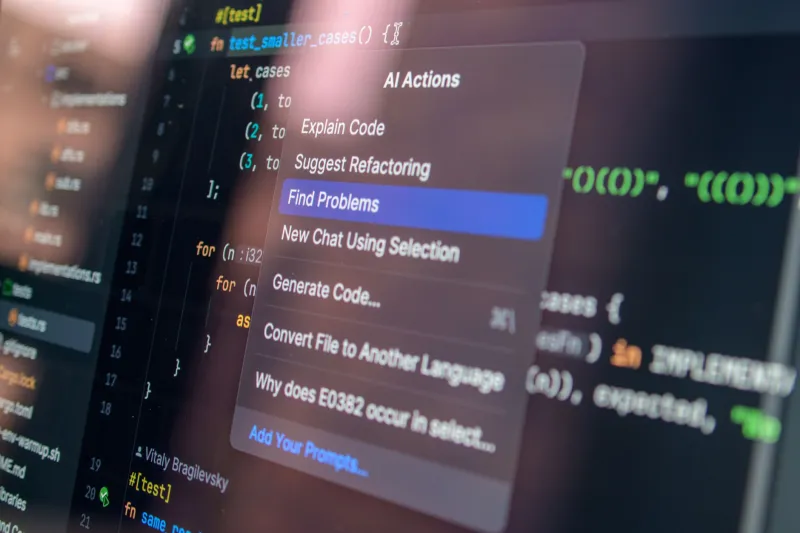
Every developer has one. A folder, a Notion page, a GitHub Gist collection, maybe a random .txt file buried three directories deep — some kind of personal code library that's been accumulating snippets since the early days of your career. You added that fetch wrapper in 2020. That regex validator came from a Stack Overflow answer in 2018. The authentication boilerplate? Honestly, you don't even remember.
Here's the uncomfortable truth: a bloated, unaudited snippet library isn't a productivity tool. It's a liability. Drag enough outdated patterns and deprecated dependencies into production, and you're not moving fast — you're just moving confidently toward a mess.
So let's talk about how to actually fix it.
Why Snippet Libraries Go Stale (And Why We Ignore It)
Snippet libraries decay quietly. Unlike a production codebase with CI pipelines, linters, and code reviews, your personal collection has no guardrails. Nobody's flagging the fact that your [moment.js](https://en.wikipedia.org/wiki/Npm) date formatter snippet references a library the community abandoned in favor of date-fns or native Intl APIs. Nobody's telling you that the JWT validation snippet you copy-paste into every new Express project has a known vulnerability pattern.
The problem is compounded by the fact that snippets feel productive. Grabbing a pre-written block and dropping it into a new project scratches a very satisfying itch. But familiarity bias is real — we trust old code because we've used it before, not because it's still good.
A study from GitClear found that code churn (code written and then rewritten or deleted within two weeks) has been rising year over year. A chunk of that churn traces back to developers bootstrapping projects with outdated patterns they've carried around for years.
Step One: Inventory Before You Judge
Before you delete anything, do a full inventory. This sounds obvious, but most developers skip straight to the purge and end up tossing snippets they'll wish they had later.
Create a simple spreadsheet or use a tool like Airtable with the following columns:
- Snippet name / description
- Language / framework
- Date added (approximate)
- Last used (approximate)
- Dependencies referenced
- Source (where it came from)
You don't need to be surgical here. Rough estimates are fine. The goal is visibility. Once you can see your library laid out, patterns emerge fast. You'll probably notice entire categories of snippets that belong to frameworks you haven't touched in two years.
Step Two: The Three-Bucket Triage
Once you've got your inventory, sort everything into three buckets:
Bucket 1: Still Valid These snippets use current patterns, reference maintained dependencies, and don't raise any immediate red flags. They stay, maybe with a light cleanup pass.
Bucket 2: Needs Updating
The logic is sound, but the implementation is stale. Maybe it uses var instead of const, relies on a deprecated API, or predates async/await. These are worth modernizing rather than trashing — the underlying pattern is useful, just the execution needs a refresh.
Bucket 3: Retire Immediately Outdated security patterns (MD5 hashing, anyone?), deprecated libraries with no migration path, or code so framework-specific that the framework itself is dead. These go in the bin.
Be honest with yourself during this process. Nostalgia is not a valid reason to keep a jQuery snippet in 2025.
Step Three: Flag the Security Risks First
Before you spend time modernizing anything in Bucket 2, do a dedicated security pass. This should be non-negotiable.
Common offenders to look for:
- Hardcoded credentials or API key patterns — Even if yours don't have real keys, the pattern itself trains bad habits.
- Outdated cryptography — MD5, SHA-1, and weak bcrypt round counts have no place in modern code.
- Unvalidated input handling — Old SQL query builders and template string patterns that don't sanitize input.
- Insecure
eval()usage — Still lurking in older JavaScript snippets more than you'd think. - Deprecated auth flows — OAuth 1.0 snippets, old JWT libraries with known issues.
Run your snippets through a tool like Semgrep or even just grep for known bad patterns. It takes less than an hour and it's absolutely worth it.
Step Four: Modernize Bucket Two, Systematically
Now comes the actual work, but it's more satisfying than it sounds. Modernizing a stale snippet is a low-stakes way to sharpen your skills on patterns you already understand.
A few practical upgrades that apply to a huge percentage of aging JavaScript/TypeScript snippets:
- Callbacks → Promises → async/await: If you've got old Node.js snippets using callback hell patterns, this is the cleanest win.
- CommonJS → ESM:
require()is being phased out in modern Node environments. Update your module syntax. - Moment.js → native Intl or date-fns: Moment is in maintenance mode. Stop spreading it.
- Class-based React → functional + hooks: If you've got React component snippets from pre-2019, they probably need a full rewrite.
- REST boilerplate → consider fetch API updates: The native
fetchAPI has improved significantly. Old Axios-heavy snippets might be replaceable with leaner native code.
As you modernize, add a short comment block to each snippet noting when it was last reviewed and what version of the relevant framework or runtime it targets. Future-you will be grateful.
Step Five: Build a Maintenance Ritual
The audit is a one-time fix. The ritual is what keeps your library healthy going forward.
Set a calendar reminder — quarterly works for most developers — to do a lightweight review. You're not looking to redo the full audit every three months. You're just asking: did any major framework release deprecate something I'm storing? Did I add anything new that I should document properly?
If you're on a team, consider a shared snippet repository with a simple PR process. Even a light code review on new snippets catches a surprising number of issues before they get copy-pasted into production ten times.
The Payoff Is Real
A clean, audited snippet library is genuinely one of the highest-ROI investments a developer can make in their own workflow. You stop second-guessing whether a block of code is safe to use. You stop introducing subtle bugs at the bootstrapping stage of projects. You ship faster because the foundation you're building on is solid.
Think of it like your toolbox. A mechanic with a well-organized, well-maintained toolbox works faster than one digging through a pile of rusty wrenches looking for the right size. Your snippets are your tools. Keep them sharp.