Your Snippet Library Has a Graveyard Problem — Here's How to Finally Fix It

Photo: developer organizing code files on computer screen with dark theme IDE, via thumbs.dreamstime.com
You probably remember the day you started your snippet library. Maybe it was after you copied the same API error handler for the fourth time in a month. You made a folder, dropped in the file, gave it a sensible name, and felt genuinely good about yourself. Organized. Efficient. A real professional.
Fast forward eighteen months. That folder has forty-seven subfolders. Some of them have names like utils_v2, old_stuff, and the always-classic misc. Half the snippets reference packages you stopped using two years ago. The tagging system you set up in Notion has 200 entries and zero search results that return what you actually need.
Welcome to the snippet graveyard. Most developers are already living in one.
Why Folder Structures Fail You Almost Immediately
The instinct to organize code into folders is deeply human. It mirrors the way we think about physical space — put related things together, give containers meaningful names, and you'll always know where to look. The problem is that code doesn't live in physical space. It lives in a web of relationships, use cases, and contexts that folders are fundamentally bad at representing.
A utility function that formats currency, for example, belongs in utils, sure. But it also belongs in finance, display, i18n, and honestly in about six different projects at once. When you have to pick one home for it, you've already made a decision that will frustrate your future self.
Tagging systems feel like the obvious fix. Add multiple labels, search across them, problem solved. Except maintaining tags requires discipline that almost nobody sustains beyond the first few weeks. Tags drift. They get inconsistent. Someone on the team uses auth while someone else uses authentication and a third person uses login-flow. Now your search returns a third of what you actually have.
At small scale, none of this matters much. You can hold most of it in your head. But the moment your library crosses a few hundred snippets — or the moment more than one person is using it — the whole system starts quietly rotting.
The Scale Problem Nobody Talks About
Here's the uncomfortable math: the more valuable your snippet library becomes, the harder it is to maintain with traditional tools. Every new snippet you add increases the organizational debt on every snippet that came before it. You're not just adding one file — you're adding one more thing that needs to fit into a taxonomy that was designed for a much smaller collection.
Teams hit this wall hard. A shared snippet repo that starts as a helpful resource turns into a political minefield where nobody agrees on structure, duplicates pile up silently, and developers quietly stop contributing because the overhead isn't worth it. Eventually, people just stop using the shared library and go back to copying from Stack Overflow or their own local stashes. The collective knowledge you worked to build gets abandoned.
This isn't a discipline problem. It's an architecture problem.
What AI-Powered Search Actually Changes
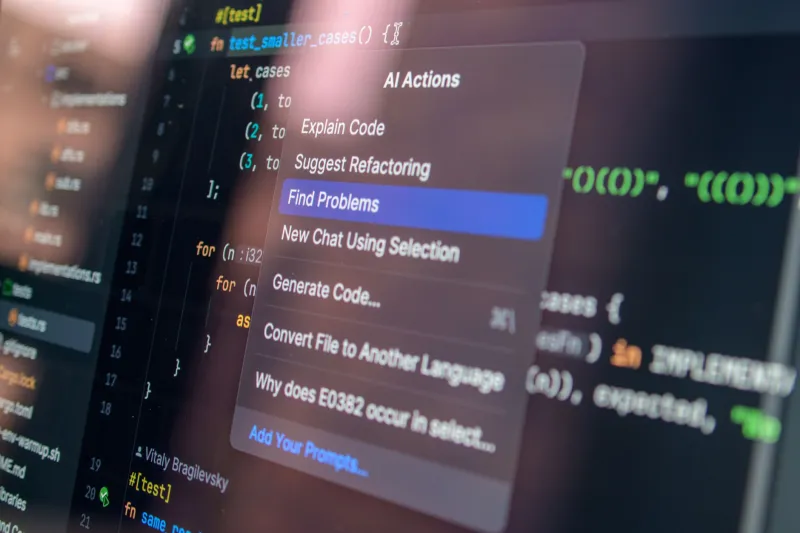
The most practical shift happening right now in snippet management is the move from keyword-based search to semantic search. Tools like GitHub Copilot's workspace features, Pieces for Developers, and even custom setups using embeddings on your own codebase are letting developers search for code the way they think about it — in plain language.
Instead of trying to remember whether you tagged something debounce or throttle or performance, you just describe what you need: "delay a function call until user stops typing." Semantic search surfaces the right snippet regardless of what you named it or how you categorized it.
This fundamentally changes the value proposition of organization. You're no longer building a filing system — you're building a searchable knowledge base. The metadata matters less. The content matters more. And honestly, that's closer to how good developers actually think.
Semantic Versioning for Snippets: Overkill or Underrated?
One pattern that's gaining traction in more mature engineering teams is applying semantic versioning principles to snippet libraries. The idea is straightforward: treat snippets less like static files and more like small, living artifacts that evolve over time.
A snippet that handles JWT validation in Node.js looks very different depending on whether it was written for jose 2.x or jose 4.x. Without versioning, you have no way of knowing which one you're looking at or whether it still applies to your current stack. With even lightweight versioning — a changelog comment block at the top, a last-verified date, a dependency note — you add just enough context to make the snippet actually trustworthy.
This doesn't mean you need to spin up a full package registry for your personal code stash. It means building the habit of treating snippets as things that can go stale, and giving yourself the signals to know when they have.
A Practical Audit You Can Run This Week
Before you rebuild anything, it helps to actually know what you're working with. Here's a quick audit process that works whether you're solo or managing a team library:
Step 1: Date-stamp everything. Go through your library and note when each snippet was last touched. Anything over 18 months old without a verified-date annotation is a candidate for review.
Step 2: Check dependency alignment. For any snippet that references an external package, verify whether that package is still in active use in your current projects. Outdated dependency snippets are the most dangerous kind — they look right, they run, and they quietly introduce security or compatibility issues.
Step 3: Kill the duplicates. Search for functional overlap. If you have three different implementations of the same pattern, pick the best one, document why it's the canonical version, and archive the others. Don't delete — archive. You might want the history.
Step 4: Flatten the folder structure. Counterintuitive, but effective. If you're moving toward semantic search, deep nesting actively hurts discoverability. A flatter structure with better inline documentation beats a complex taxonomy every time.
Step 5: Write a one-liner for each snippet. Not a full comment block — just one sentence describing what problem this solves in plain English. This single habit dramatically improves searchability and helps you spot duplicates you didn't know you had.
Building for Discoverability, Not Just Storage
The mental model shift that matters most here is moving from storage to discoverability. A snippet library isn't a filing cabinet. It's supposed to be a force multiplier — something that makes you faster and more confident when you're deep in a problem at 11pm and need to know you've solved this before.
The best libraries are built around the question "how will I find this when I need it?" not "where does this logically belong?" Those sound similar but lead to very different systems.
Modern tools — semantic search, AI-assisted tagging, team-wide snippet platforms with usage analytics — are making that discoverability goal much more achievable. But none of them fix a library that's already a mess. The audit comes first. The tooling comes second.
Your snippets represent real knowledge. They represent problems you've already solved, patterns you've already figured out, time you've already spent. A graveyard wastes all of that. A well-maintained, discoverable library compounds it.
Start the audit. Your future self will thank you at 11pm.